Coupon Code WhatsApp Template
Note: Coupon Code WhatsApp Message Templates are supported only via Cloud API.
Overview
Coupon Code Templates enable businesses to send personalized discount codes to customers via WhatsApp. By using these templates, you can easily share special offers and promotions, helping boost customer engagement and drive conversions. These templates are designed to work seamlessly with the Cloud API.
Template Creation
To create a Coupon Code WhatsApp Template:
-
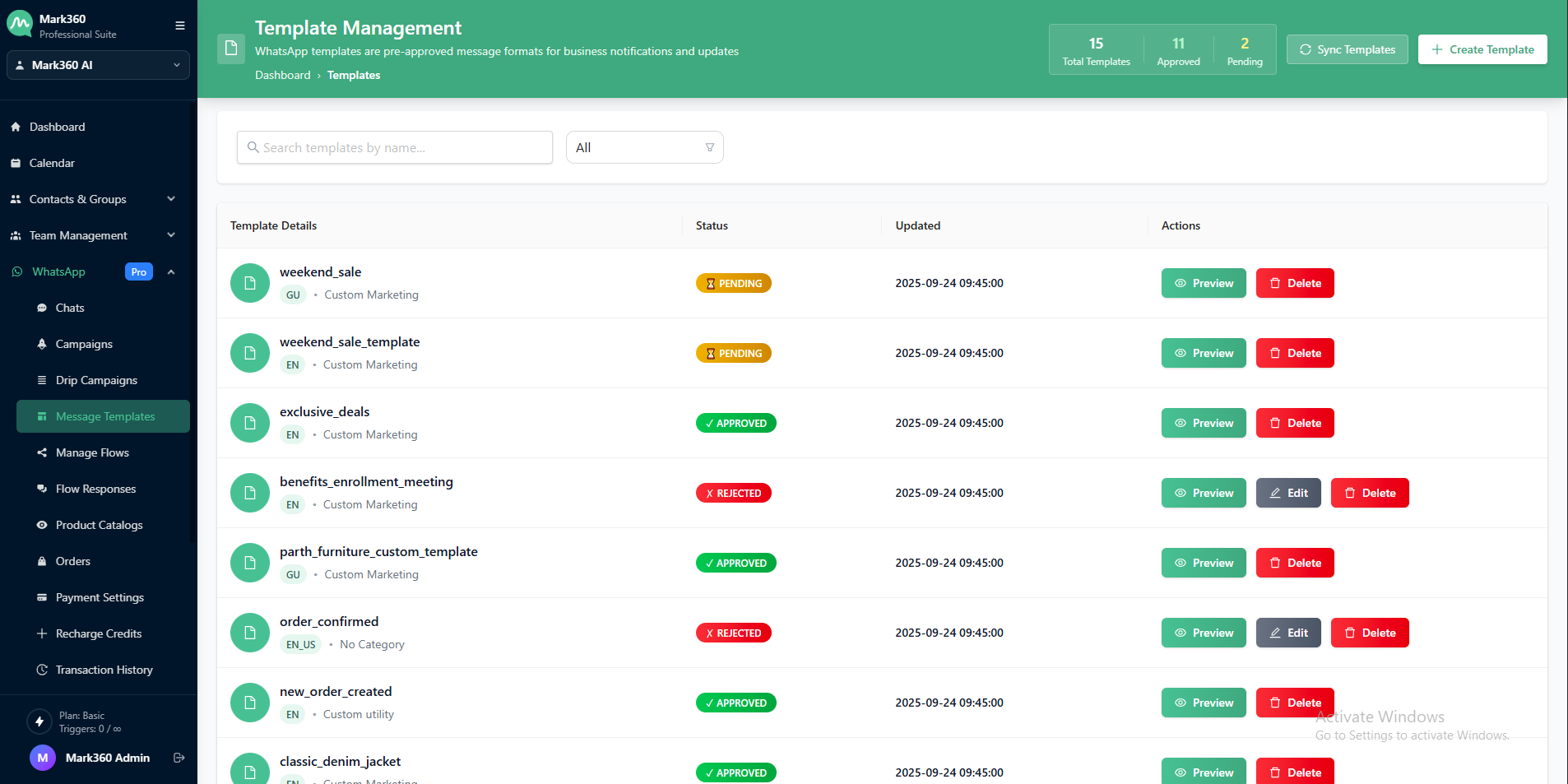
Go to WhatsApp → Message Templates
-
Click on + Create Template
-
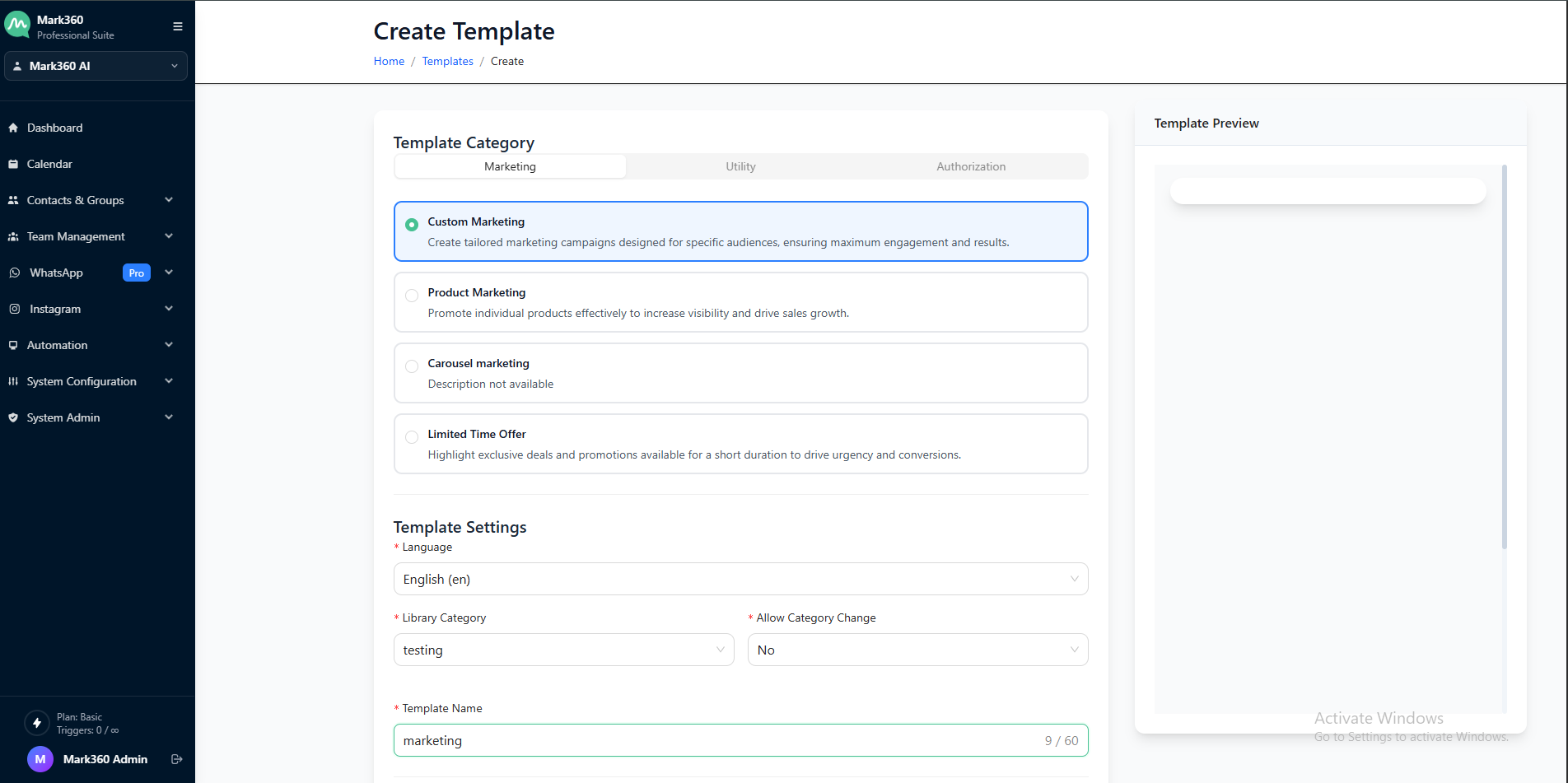
Provide the following:
- Template Name
- Category: Select
Custom Templates(either Utility or Marketing, depending on your use case) - Allow Category Change: Set to No
- Language: Choose your preferred language
-
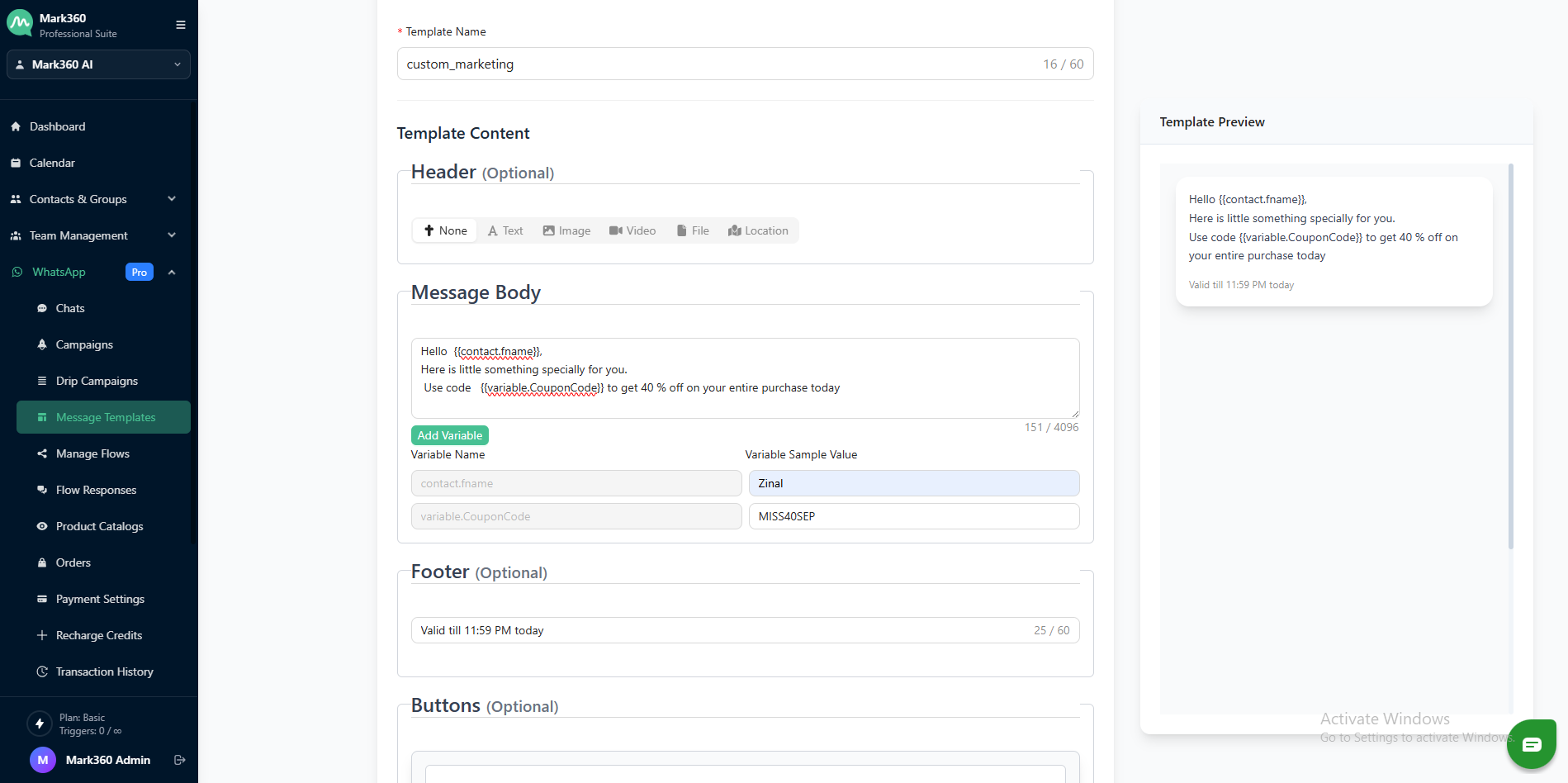
Write the message content in the Body section:
- Add any variables needed (e.g.,
{{1}},{{2}}) - Provide sample values for the variables
- (Optional) Add a footer (e.g., terms, unsubscribe instructions)
- Add any variables needed (e.g.,
-
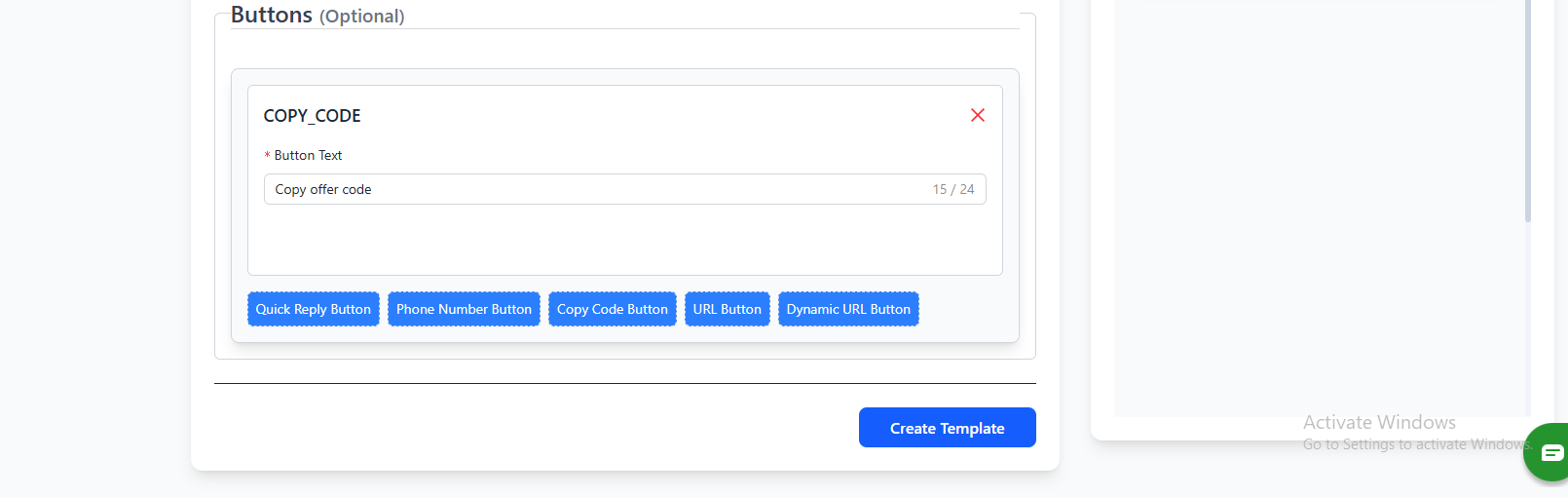
Under the CTA (Call-to-Action) section:
- Choose Coupon Code as the CTA type
- Add the coupon code you want to share with your customers (maximum 15 characters)
-
Click Create Template to send the template for Meta approval.
Limitations of Coupon Code Templates
- Not supported on WhatsApp Web/Desktop clients
- Coupon codes are limited to 15 characters
- Button text cannot be customized
- Only one copy code button is allowed per template
By following these steps, you can effectively deliver promotional offers to your customers via WhatsApp, ensuring your campaigns are engaging, clear, and action-driven.